
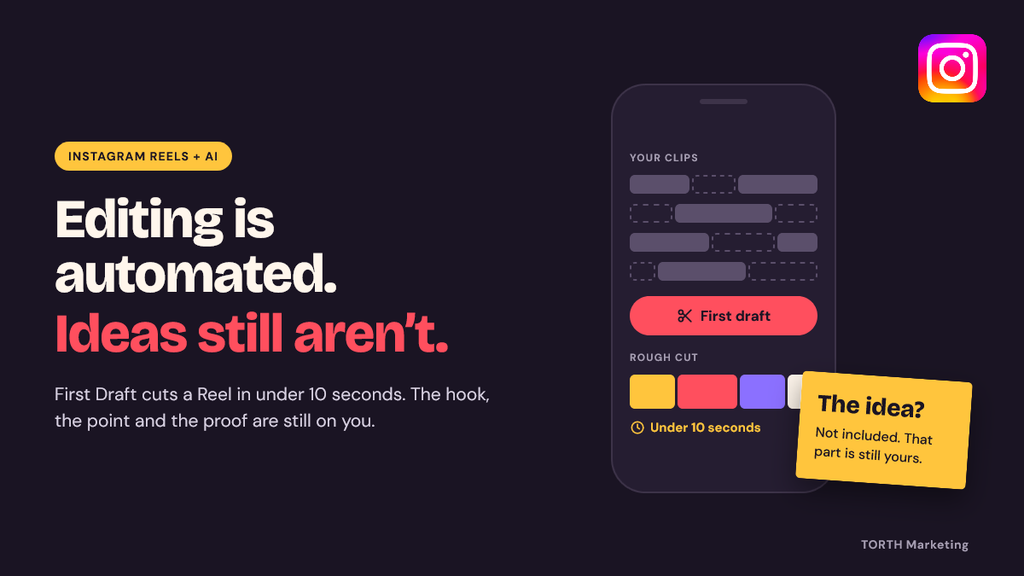
Instagram rolled out a feature called First Draft. You pick a few clips, tap one button, and in under 10 seconds Instagram trims them, cuts the dead air, and hands you a rough cut of a Reel.
That is a big deal for anyone who has spent a Sunday night dragging clip handles back and forth on a phone screen. Instagram Reels editing used to be the part that ate your time. Now the app does a first pass for free.
But here’s the catch. If Instagram can cut your Reel in 10 seconds, it can cut everyone else’s too. Your competitors get the same button. So do the thousands of accounts posting in your niche today.
When everyone has the same editor, the edit stops being what sets you apart. What’s left is the part no tool hands you: the idea. The hook. The point you’re making. The footage only you can shoot.
What Instagram’s First Draft Actually Does
First Draft is a one-tap editing tool built right into the Instagram app. Instagram described it in a post from their @creators account this way: “Simply select your clips, and with one tap, it cuts the pauses and trims down your clips, so you have a starting point to build from in seconds.”
That last part matters. Instagram calls it a starting point, and the name backs that up. It’s a first draft, not a final cut.
One Tap, Clips In, First Cut Out
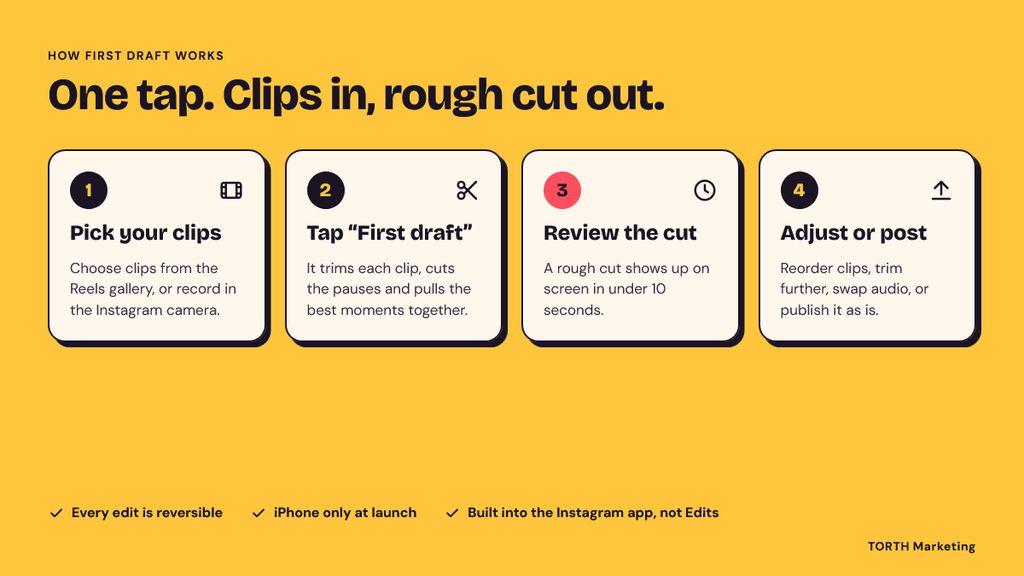
Here’s how it works in practice:
- Pick your clips. Select several clips from the Reels gallery, or record straight from the Instagram camera.
- Tap “First draft.” Instagram trims each clip, removes pauses and pulls the best moments into one sequence.
- Review the result. In under 10 seconds, you have a rough cut on screen.
- Adjust or post. You can reorder clips, trim further, swap audio, or publish it as is.
Instagram also made a point of saying that everything First Draft does is reversible. If the tool cuts a moment you wanted, you can put it back before you move on.
Where It Lives: The Instagram App vs. the Edits App
First Draft sits inside the main Instagram app, not in Edits, Meta’s separate video editing app. At launch, it’s available on iPhone only. An Android version is expected but hasn’t been confirmed with a date.
Meta seems aware that some creators feel protective of their editing work. The company has said the feature could also be offered in Edits for people who prefer to keep their editing in one place.
What It Does Not Do
This is the part most coverage skips. First Draft does not:
- Decide what your Reel is about
- Write a hook that stops someone mid-scroll
- Pick the one point you want viewers to remember
- Film the footage that proves your point
- Know your customer, your product or your voice
It works with what you give it. Hand it a rambling 90 seconds with no clear point, and you’ll get a tighter rambling 30 seconds with no clear point. The tool cleans up the cut. It can’t clean up the thinking.
How Much of Reels Editing Is Already Automated
First Draft didn’t come out of nowhere. It’s the latest step in a steady run of AI video editing tools Meta has been shipping for more than a year.
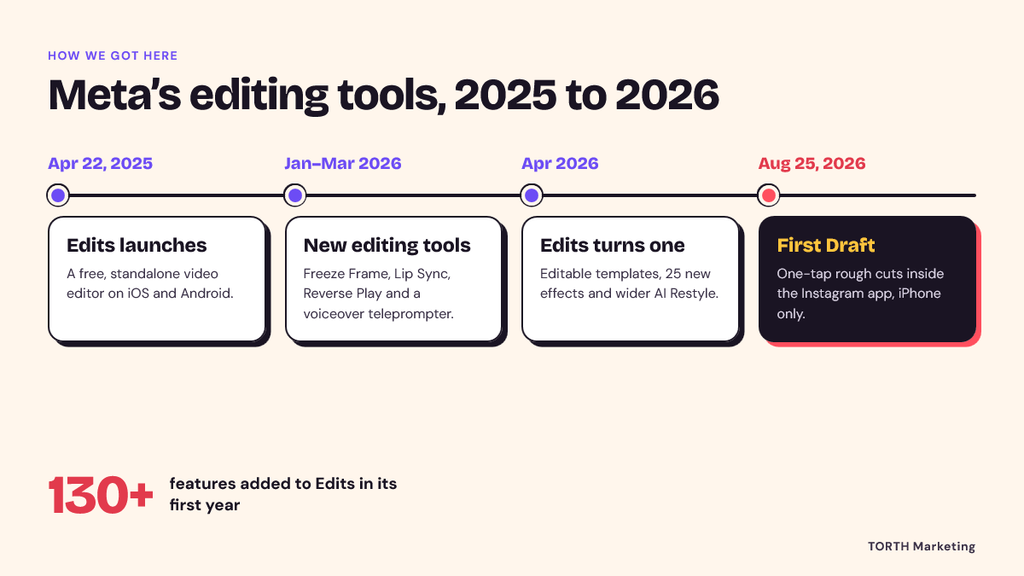
The Timeline of Meta’s Editing Tools, 2025 to 2026
| Date | What shipped |
|---|---|
| August 25, 2026 | First Draft in the Instagram app (iPhone): one-tap rough cuts |
| April 2026 | Edits turns one: creator-made editable templates, 25 new effects, wider AI Restyle |
| January-March 2026 | Edits adds Freeze Frame, Lip Sync, Reverse Play and a voiceover teleprompter |
| April 22, 2025 | Edits launches on iOS and Android as a free, standalone editor |
In the first year alone, Edits added more than 130 features. That’s a fast pace for any software team, and it tells you where Meta is putting their effort.
What the Instagram Edits App Already Handles
The Instagram Edits app already does all of this:
- Cut Silences: finds and removes dead air automatically
- Restyle: uses AI to change the look of a clip with preset styles
- AI object tracking: isolates a person or object in the frame and follows them as they move, so you can add effects to just that subject
- Personalized sound effects: suggests audio based on what’s in your video
- Teleprompter and storyboards: helps you plan and record
- Templates: lets you copy the structure of a trending Reel
Put that next to First Draft, and most of the tedious work in Reels editing is now handled or heavily assisted: trimming, pause removal, captions, effects, sound, and pacing templates.
Why Meta Gives This Away for Free
Meta isn’t doing this out of kindness. Reels account for about half of all the time people spend on Instagram. The more Reels get made, the more there is to watch. The more people watch, the more ads Meta can show.
Editing was friction. Friction means fewer Reels. So Meta is removing it. That’s good news for your workload. It also means the bar for getting noticed just moved, and it didn’t move toward better editing.
When Everyone Has the Same Editor, the Edit Stops Being the Edge
Think about what happened when every phone got a good camera. Photo quality stopped being impressive on its own. What stood out was the subject, the timing and the eye of the person holding the phone.
Reels are heading the same way. Clean cuts, tight pacing and no awkward pauses used to signal effort. Now they’re the default. A polished Reel with nothing to say is just a polished Reel with nothing to say.
Mosseri’s Shift: From “Can You Create?” to “Can Only You Create This?”
Adam Mosseri, the head of Instagram, said it plainly in his year-end memo going into 2026:
“The bar is shifting from ‘can you create?’ to ‘can you make something that only you could create?'”
He also wrote that “in a world where everything can be perfected, imperfection becomes a signal,” and that creators who stay “real, transparent, and consistent” will stand out.
Read that next to the First Draft launch, and the message is clear. Instagram is making the craft side easy on purpose. What they’re asking from creators is the part software can’t fake: a real person, a real point of view and real footage.
Instagram’s Originality Ranking and What It Means for You
Mosseri’s memo also said Instagram will keep “improving ranking for originality.” The Instagram algorithm has been moving in this direction for a while. Accounts that mostly repost other people’s content get less reach, and original creators get more credit.
What this means in practice:
- Reposting and lightly remixing other people’s Reels is a weak long-term plan
- Copying a trend beat for beat puts you in a crowd of near-identical videos
- Original footage and original takes line up with what Instagram says they want to reward
Nobody outside Instagram knows the exact weight of each ranking signal, so be careful with anyone who claims they do. But the stated direction is not a secret.
The Sameness Problem
Picture a thousand real estate agents in the same week. Each films a walkthrough, taps First Draft and posts the result. The cuts are clean. The music is trending. The pacing is fine.
Which one do you remember?
Probably the one who opened with, “This kitchen has one flaw every buyer misses,” and then showed it. Same tool. Same edit quality. Different idea.
Automation raises the floor for everyone. It doesn’t raise the ceiling. The ceiling is still set by the thinking that happens before anyone presses record.
What “the Idea” Means in a Reel (and How to Build One)
“Have a better idea” is easy advice to give and hard advice to use. In a Reel, the idea comes down to four parts: the hook, the point of view, the proof and the structure.
1. The Hook: The First Two Seconds Are a Writing Problem
Most people treat the hook as an editing problem. Speed up the first clip, add a zoom, slap on some text. But a hook is really a sentence. It’s the reason someone should keep watching, said fast.
Good hooks usually do one of these:
- Name a problem the viewer has: “If your Reels get 200 views and stall, this is probably why.”
- Make a clear promise: “Three questions to ask before you hire a contractor.”
- Say something that cuts against common advice: “Posting every day hurt my account. Here’s what I do instead.”
- Show something unexpected: open on the result, the mess or the moment of surprise
First Draft can pick your best moments. It can’t write this sentence for you. Write it before you film.
2. Point of View: A Take Only You Can Have
A point of view is what you believe about your topic that someone else in your field might not. It comes from your experience, your customers and your mistakes.
A plumber who says “fix leaks early” has information. A plumber who says “the most expensive repair I see every month starts with a $4 part people ignore” has a point of view.
Ask yourself:
- What do I tell customers over and over?
- What do people in my field get wrong?
- What have I changed my mind about in the last year?
The answers are Reels.
3. Proof Footage: What Only You Can Film
This is where the Mosseri quote gets practical. AI can generate a stock-looking kitchen. It can’t film your shop floor, your hands fixing the thing, or your customer’s face when they see the result.
Proof footage includes:
- Behind-the-scenes work in progress
- Before-and-after results
- Real customers, with permission
- Your actual product in real use
- You, on camera, explaining something you know well
This kind of footage is hard to copy. It also tends to be a little rough, and according to Instagram’s own leadership, that roughness is starting to read as a sign that it’s real.
4. Structure: One Reel, One Point
The most common mistake in short-form video isn’t bad editing. It’s trying to say three things in 30 seconds.
Pick one point per Reel. If you have three points, you have three Reels. That’s not a problem. That’s a content calendar.
A Repeatable System for Reel Ideas
Good ideas don’t show up on schedule. Systems do. This one takes about an hour a week and costs nothing.
Step 1: Start From Customer Questions, Sales Calls and DMs
The best source of Instagram Reel ideas is sitting in your inbox. Every question a customer asks is a Reel someone else also wants answered.
Go through these once a week:
- Instagram DMs and comments
- Email questions from customers
- Notes from sales calls or quotes
- Reviews, both good and bad
- Questions your front desk or support team hears most
Write each question down in the customer’s own words. Their words make better hooks than yours.
Step 2: Build an Idea Bank (Capture, Sort, Test)
Keep one running list. A notes app, a spreadsheet or a paper notebook all work. What matters is that every idea lands in the same place.
- Capture: Add every question, observation and “I wish people knew” thought as it comes up.
- Sort: Once a week, tag each idea: teach (how-to), prove (results, behind the scenes) or believe (your point of view).
- Test: Pick three to five ideas, make them, and check which ones get saves, shares and DMs. Views matter, but saves and shares tell you the idea was useful.
Ideas that do well get a follow-up. Ideas that flop get a new hook and another try before you drop them.
Step 3: Write the Reel Before You Film It
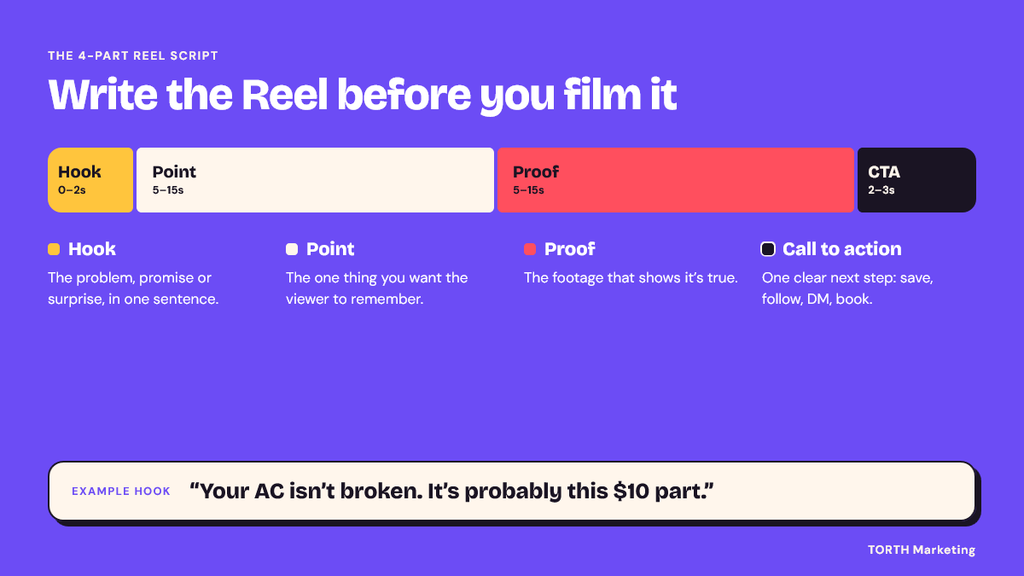
This is the habit that separates Reels with a point from Reels with nice footage. Use this four-part script:
| Part | Length | What goes here |
|---|---|---|
| Hook | 0-2 seconds | The problem, promise or surprise, in one sentence |
| Point | 5-15 seconds | The one thing you want the viewer to remember |
| Proof | 5-15 seconds | The footage that shows it’s true |
| Call to action | 2-3 seconds | One clear next step: save, follow, DM, book |
Here’s how that looks for two very different businesses.
Example 1: A local HVAC company
- Hook: “Your AC isn’t broken. It’s probably this $10 part.”
- Point: A clogged filter is the most common reason for weak airflow in summer.
- Proof: Close-up of a dirty filter pulled from a real service call, next to a clean one.
- Call to action: “Save this and check yours this weekend.”
Example 2: A B2B software company
- Hook: “Most onboarding emails get ignored. Here’s the one our customers actually open.”
- Point: A short, plain-text email from a real person beats a designed newsletter in week one.
- Proof: Screen recording of the actual email, with the reasoning explained by the person who wrote it.
- Call to action: “DM ‘onboarding,’ and we’ll send you the template.”
Neither example needs fancy editing. Both need a clear idea.
Step 4: Let First Draft Handle the Rough Cut, Then Edit for Meaning
Once the script is written and filmed, this is where First Draft earns its place. Let it trim the pauses and assemble the clips. Then spend your editing time on the decisions that actually matter:
- Does the first frame match the hook?
- Is the point clear without sound? (Add on-screen text if not.)
- Did the tool cut any proof you need? Put it back.
- Does it end on the call to action, not on filler?
That’s the new division of labor. The machine handles the cut. You handle the meaning.
What This Means for Businesses and Marketers
If you run a business or manage social media for one, automated Reels editing changes where your time and budget should go.
Personal, Relevant Reels Without Relying on Ad Tracking
The Instagram feed already personalizes who sees what. The algorithm matches Reels to people based on what they watch, save and share. Your job isn’t to out-guess the algorithm. It’s to make each Reel clearly relevant to one kind of customer with one kind of problem.
That’s what personalization looks like from the business side. Not a first name dropped into an ad, but an idea so specific that the right viewer thinks, “This is about me.”
There’s a privacy angle here too. Third-party cookies and cross-site tracking keep getting harder to rely on. Organic Reels that earn follows, saves, profile visits and DMs build a relationship you own directly, on a platform where people chose to follow you. That kind of first-party attention gets more valuable as tracking gets weaker.
Reels in Search: Captions, Spoken Words and Instagram SEO
More people now use Instagram like a search engine. They type, or speak into their phone, questions like “best brunch near me” or “how to fix a squeaky door.” Your Reel has a better shot at showing up when the words match how people ask.
A few simple habits help:
- Say your main topic out loud in the first few seconds. Spoken words feed auto captions, and captions give the platform more to read.
- Write the keyword into your caption in plain language, the way a customer would say it.
- Use on-screen text that repeats the topic, which also helps people watching without sound.
- Match natural questions. Voice searches tend to be full questions, so phrase hooks and captions the same way.
None of this replaces a good idea. It just makes sure a good idea gets found.
Where to Spend the Hours You Save on Editing
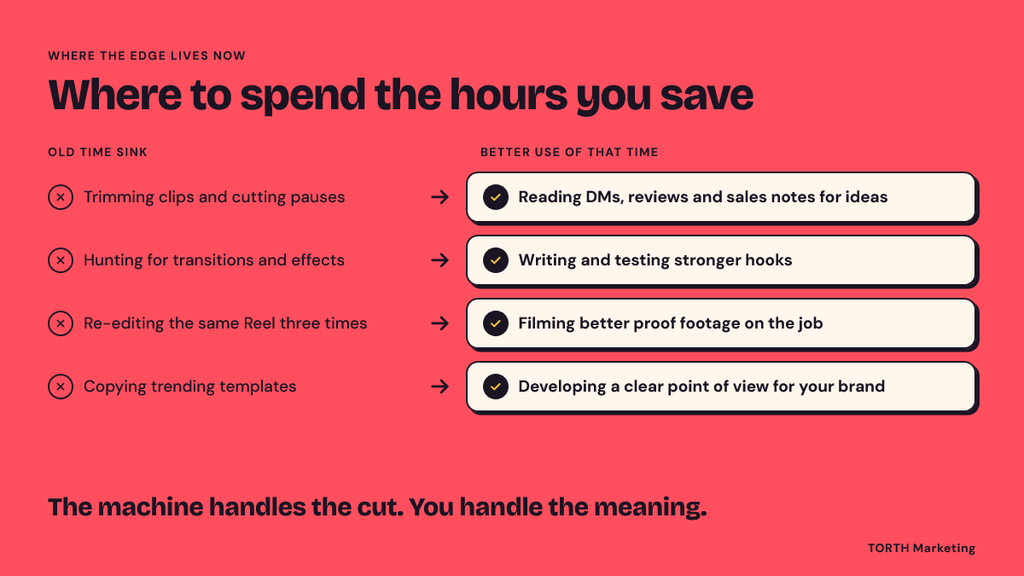
If First Draft and Edits save you a few hours a week, don’t just post more of the same. Put that time where the edge now lives:
| Old time sink | Better use of that time |
|---|---|
| Trimming clips and cutting pauses | Reading DMs, reviews and sales notes for ideas |
| Hunting for transitions and effects | Writing and testing stronger hooks |
| Re-editing the same Reel three times | Filming better proof footage on the job |
| Copying trending templates | Developing a clear point of view for your brand |
The businesses that win with Reels over the next few years won’t be the ones with the slickest cuts. Everyone will have slick cuts. They’ll be the ones with the clearest thinking.
Expert Take: The Craft Moves Upstream
None of this means editing is dead. It means the craft is moving to an earlier point in the process.
Why Good Editors Still Matter
A tool can remove pauses. It can’t tell whether a pause was dead air or a beat that made the joke land. It can’t feel when a story needs one more second to breathe, or when the payoff should come sooner.
Pacing, taste, and story sense still belong to people. What changes is where editors spend their time. Less time on mechanical trimming. More time on shaping a piece so it says one thing clearly.
The best editors have always been storytellers first. That skill just became more visible, because the mechanical part no longer hides it.
The New Creative Brief for Short-Form Video
For teams and agencies, this is a good moment to rethink the brief you hand to whoever makes your Reels. The old brief was often about format: length, style, music, trend. The new brief should start with the thinking:
- Who is this for? One specific viewer, not “our audience.”
- What problem or question are we answering? Ideally in the customer’s words.
- What’s our take? The point of view that makes this ours.
- What proof can we show? Real footage, real results, real people.
- What’s the hook? Written out as a sentence, not described as a vibe.
- What should they do next? One call to action.
Format questions come after that. And with First Draft doing the rough cut, format is the easy part.
Frequently Asked Questions (FAQs)
What is Instagram First Draft?
First Draft is an Instagram feature, launched August 25, 2026, that builds a rough cut of a Reel for you. Select several clips or record in the Instagram camera, tap “First draft,” and it trims the clips and removes pauses in under 10 seconds. You can then adjust, reorder or post it.
Is First Draft available on Android?
Not yet. At launch, First Draft is available on iPhone only. An Android version is expected, but Instagram hasn’t shared a release date. Android users can get similar pause-cutting through the Cut Silences tool in the Edits app.
Does Instagram penalize AI-edited Reels?
There’s no sign that using Instagram’s own editing tools hurts reach. Instagram built them to get more Reels made. What Instagram has said is that they want to reward original content, so reposted or copied videos are the bigger risk, not how the edit was made.
Will AI replace video editors?
AI is taking over the mechanical parts of editing, like trimming and removing pauses. It isn’t replacing judgment about pacing, story, and what to leave in. Editors who focus on storytelling and helping shape the idea will stay in demand.
How do I come up with Reel ideas that stand out?
Start with real customer questions from your DMs, comments, and sales calls. Add your own point of view, film proof only you can capture, and keep each Reel to one point. Write the hook as a sentence before you film anything.
Final Word: The Cut Is Cheap Now. The Idea Is Not.
Instagram just made Reels editing faster and free for anyone with an iPhone. Edits already handles silences, styles, and tracking. More automation is coming.
That’s good news. The hours you used to spend trimming clips can now go into the work that decides whether anyone watches: finding the question your customers keep asking, writing a hook that answers it, and filming proof no one else can copy.
Mosseri put the new standard in one line: make something only you could create. No button does that for you. A clear idea, a real point of view, and honest footage still do.
Want help turning this into a plan? If you’d rather have an Instagram marketing strategy built around your business, our team can map out a Reels content plan with ideas, scripts, and a posting schedule. Book a free consultation, and we’ll start with the questions your customers already ask.