Quick answer: The usual answer to “why is my business not showing up on Google” is one of four causes.
Your Google Business Profile is unverified, incomplete or suspended.
Your website isn’t indexed properly.
Your business details don’t match across the web;
Your competitors look more relevant, closer, or better reviewed to Google.
Most of these reasons businesses don’t show up on Google can be fixed.
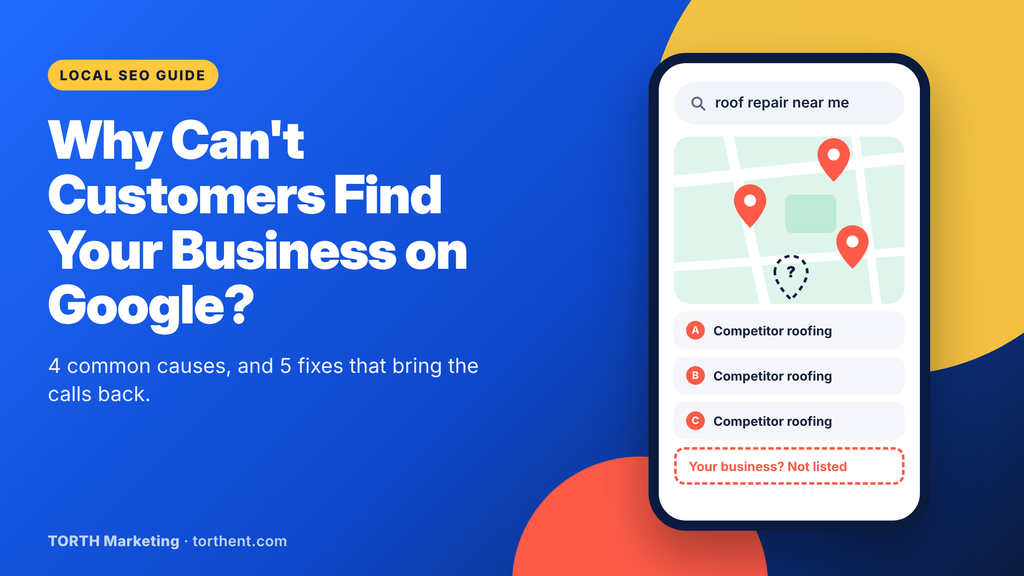
A roofing company in Columbus, Ohio, has a new website, a Google Business Profile, and dozens of five-star reviews. A homeowner two miles away searches “roof repair near me,” and three competitors fill the map. The roofer doesn’t appear on Google Maps at all. A search for the company’s own name brings up an old Yelp page with a disconnected phone number. That’s a local business visibility problem, and it costs the roofer jobs every week.
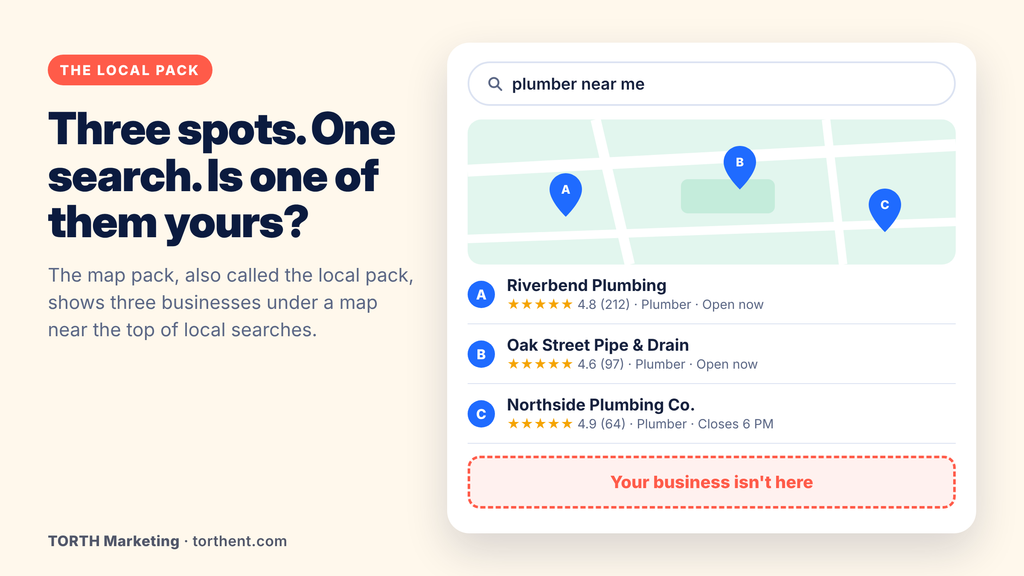
Most search visibility services start with the same question: where are customers looking? Local customers find businesses in four places: the regular search results, the map pack (also called the local pack, the box of three businesses under a map), Google Maps itself, and, more and more often, AI Overviews at the top of the page. When you’re missing from them, the call goes to the competitor who isn’t.
Why Your Business May Not Be Showing on Google
There are two separate problems here. One is not showing at all. The other is showing, but so far down that nobody scrolls to you. Check from a private browser window while signed out, because Google shows owners a different view of their own listing.
Your business profile is incomplete or unverified
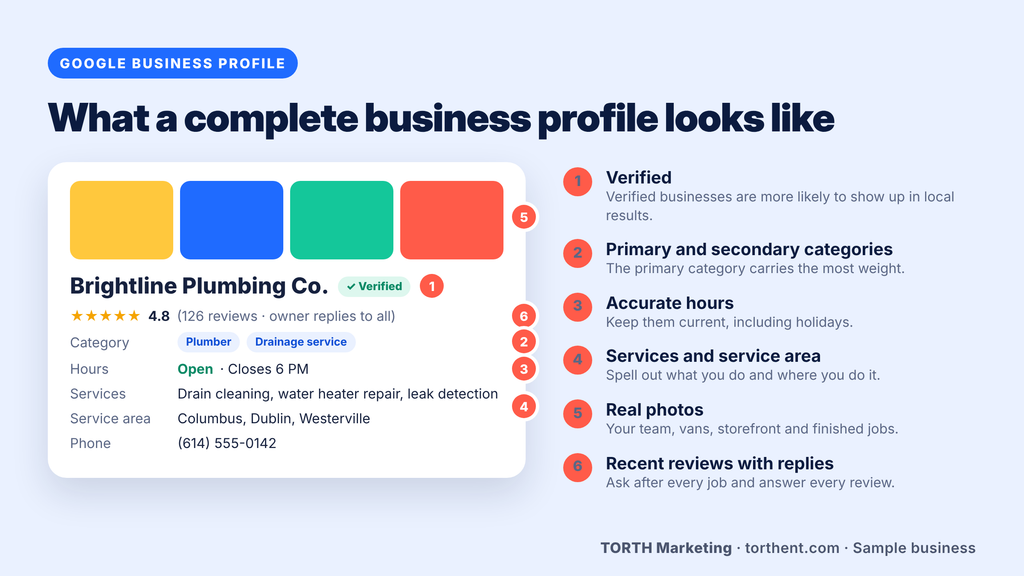
Verification is how Google confirms a real business stands behind a listing. Depending on the business, Google may ask for a phone or text code, an email, or a short video of your location. Until that step is done, a Google Business Profile (formerly Google My Business) not showing up in search is expected.
Google’s help center says verified businesses are more likely to show up in local results, and so are businesses with complete and accurate information. The field that carries the most weight is the primary category. Secondary categories, hours, services, service area, photos, and a plain description fill in the rest. A plumber listed only as “Contractor” gives Google little to match against a search for “emergency plumber.”
Your website isn’t properly indexed
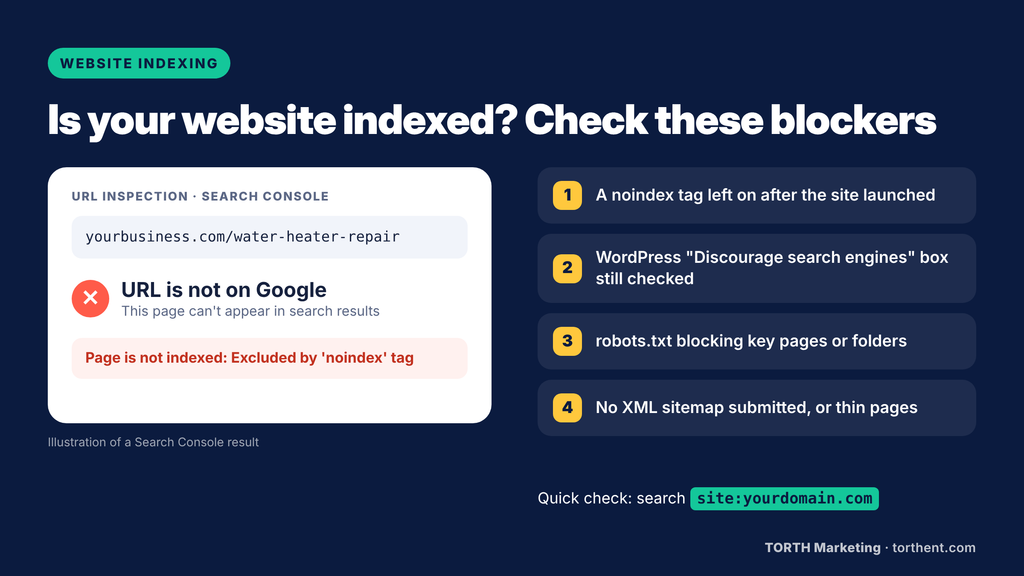
When owners ask “why is my website not showing up on Google,” the cause is often a setting nobody switched back. Google has to crawl a page (visit it) and index it (store it) before it can appear in results. New sites take time. Older ones get blocked by a noindex tag left on after development, like the WordPress box “Discourage search engines from indexing this site” under Settings > Reading. A robots.txt block, a missing XML sitemap or thin pages can also leave a website not showing on Google.
NAP stands for name, address, and phone number. Google compares those details across your website, your Business Profile, Yelp, Bing Places, Apple Business Connect, Facebook, and industry directories. When they don’t match, Google is less sure which version is right, and customers end up calling a dead number.
The usual culprits are an old address after a move, a retired phone line, or “Smith & Sons Plumbing” on one site and “Smith and Sons LLC” on another. Duplicate listings are another. They’re a frequent answer to “why is my business not showing up on Google Maps,” since Google may show the wrong listing or split your reviews between two. A business not showing on Google Maps after a move is very often a NAP problem.
Your profile is suspended, under review, or only visible to you
A profile that breaks Google’s guidelines gets disabled or suspended, and Google’s help page says it won’t show to other users until the issue is resolved. Big edits to the name, address, or category can also send a profile into review for a while.
Then there’s the question owners ask most: why is my Google Business Profile only visible to me? Signed in, you see your own listing with a note that only you can view it. That usually means it isn’t verified yet, is under review, or has been suspended. Check the status in your profile dashboard. If it’s suspended and the reason isn’t clear, contact Google Business Profile support through the Help Center.
Why Your Competitors Appear Before You
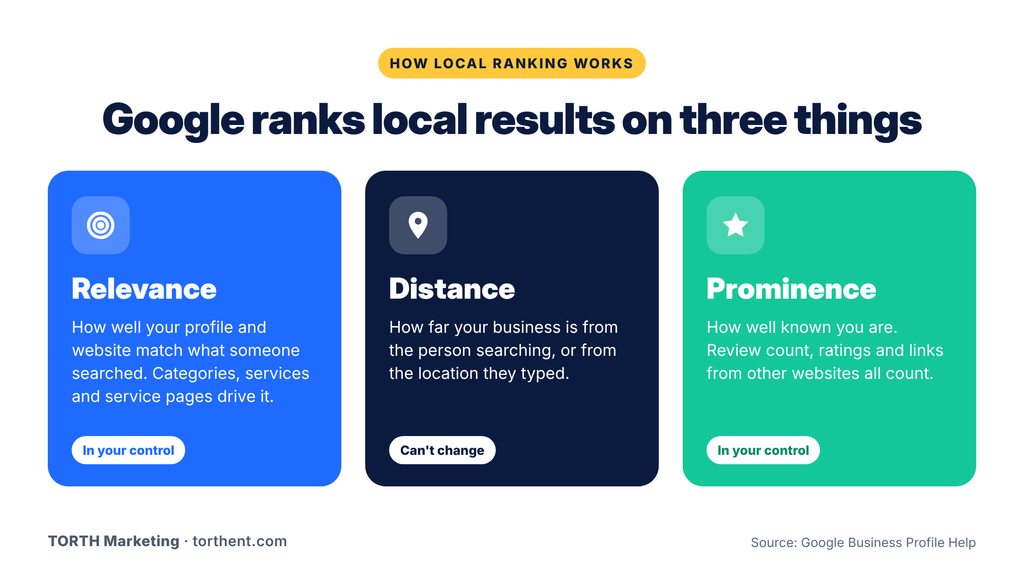
Google bases local results mainly on relevance, distance, and prominence. Prominence reflects how well known a business is, including links from other websites and review count. The same three factors shape Google Maps ranking.
Location and relevance
Distance is the one factor you can’t change. Relevance, meaning how well your profile and website match what someone typed, is mostly in your hands. The top five local pack factors in Whitespark’s 2026 Local Search Ranking Factors survey show where to look:
Primary Google Business Profile category
Proximity of your address to the searcher
Keywords in the profile’s business name
A physical address in the city being searched
Being open at the time of the search
The third one needs a warning. Adding service words to your business name, such as “Smith Plumbing Emergency Plumber Columbus,” breaks Google’s guidelines unless those words are part of the name on your sign and paperwork, and it can get the profile suspended. If you want to know how to rank higher on Google Maps, work on the category, listed services, and matching website pages instead.
Reviews and business reputation
Reviews do two jobs. Google counts them toward prominence, and customers use them to pick who gets the call. BrightLocal’s Local Consumer Review Survey 2026 found that 97% of consumers read reviews for local businesses, and 74% look for reviews written in the last three months.
Replies count as much as the stars. The same survey found 89% of consumers expect owners to respond to reviews, and 80% are likely to use a business that responds to all of them. A calm, specific reply to a bad review shows the next reader how you treat people when something goes wrong.
Website content and local SEO
A single “Services” page that lists everything you do gives Google very little to work with. Good local SEO for small business gives each main service its own page and adds location or service-area pages for the towns you cover. Those pages should be written for each town, not copied with the city name swapped.
Put the service and city in page titles and headings where it reads naturally. Add LocalBusiness schema, a short piece of code that tells search engines your name, address, hours, and service area. Links from local sources, like a chamber of commerce or a local news story, add prominence. That mix drove our local SEO growth campaign for a home services company. Service-area pages, Business Profile work, citation cleanup, on-page SEO, structured data, and local content produced a 142% lift in organic traffic.
What Low Visibility Costs Your Business
Rankings don’t pay the bills. Calls, bookings, and store visits do. Every search you miss sends a ready-to-buy customer to someone else. Customers also compare profiles, photos, and reviews before they reach a website, so a thin profile can lose the job before your site gets a look.
Many businesses cover the gap with Google Ads. Paid search brings calls in fast and has its place. But ads don’t fix the cause. Stop paying and the calls stop, while your cost per lead stays higher than it needs to be. Organic visibility also feeds the rest of your marketing. Search traffic grows email lists, social posts point to a profile worth finding, and ads stretch further with organic results behind them.
5 Things You Can Do to Improve Your Visibility
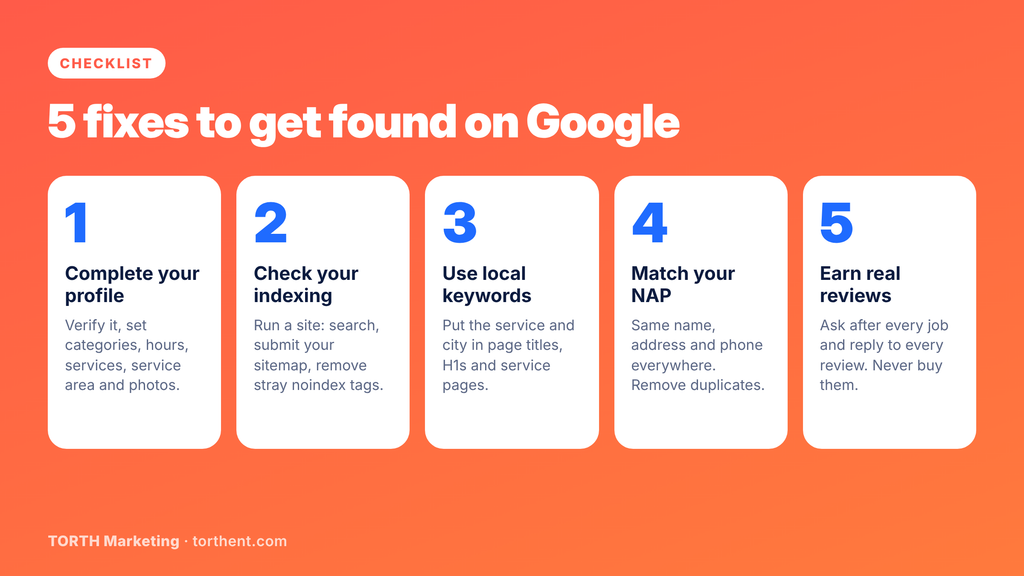
Owners who search “how to get my business on Google” usually want a checklist. Work through these five in order.
Complete your business profile. Verify it first, then set your primary and secondary categories, hours, services, service area, and photos. Write a plain description of what you do and where, the way you’d explain it to a neighbor.
Next step: Post an update or a fresh photo every month so customers see an active business.
Check your website’s indexing. Run a site: search, then open Google Search Console and review the Pages report for errors. Submit your XML sitemap and remove any stray noindex tag.
Next: Run URL Inspection on your homepage and your top service page today.
Use location-specific keywords. Put the service and city in page titles, H1 headings, and service pages for each area you serve, such as “Water Heater Repair in Dayton.” Write for people first, since a page stuffed with city names reads badly. Clear website copy that answers real customer questions does both jobs.
Note: Rewrite the title and H1 of your top 3 service pages.
Keep your business information consistent. Audit Google, Yelp, Bing Places, Apple Business Connect, Facebook, and the directories in your industry. Fix every mismatch, and merge or remove duplicate listings.
Next step: Save one master copy of your exact name, address and phone format, and paste from it every time.
Encourage genuine customer reviews. Ask after every finished job, while the customer is still happy. Put your review link in emails, texts and invoices, and reply to every review, good or bad. Never buy reviews or offer discounts or gifts for them, because Google’s policies prohibit it and it can cost you the profile.
What to do: Copy the review link from your profile dashboard and add it to your invoice template.
When Should You Hire an SEO Professional?
Basic fixes are often enough for a business with one location, a profile that just needs finishing, and a market with few competitors.
Outside help makes sense when the problem is technical or the market is crowded. Think suspensions, indexing errors, several locations, or a business that has done the basics and still isn’t in the map pack. Those cases call for technical SEO or ongoing local SEO support. Our post on why SEO still matters explains why that work pays off even for businesses already running ads.
Situation
A DIY fix may be enough
Bring in an SEO professional
Profile unverified or incomplete
Yes, if you can verify and fill in every field
If verification keeps failing
Website not indexed
A stray noindex tag or missing sitemap
Errors across many pages or after a redesign
NAP doesn’t match
A few directories to update
Old addresses spread across dozens of sites
Profile suspended
Rarely
Usually; reinstatement needs a careful appeal
Competitors still rank first
After the 5 steps above
When the basics are done, and nothing moves
Several locations or service areas
Rarely
Needs location pages, citations, and tracking at scale
Missing from AI Overviews
Answer common questions on your site
Needs a content and technical plan
AI Overviews are the newest place to go missing. Google pulls those answers from pages that respond to common questions in plain language, and this guide on how to optimize your content for Google AI Overviews walks through the details.
How TORTH Marketing Helps Local Businesses Get Found
We treat rankings as a means to an end. The goal is more calls, bookings, and sales, so our local work covers:
Local visibility audit: a full check of your Google Business Profile, indexing, citations, and competitors
Google Business Profile support: setup, cleanup of duplicates and errors, and ongoing management
Websites and service-area pages: built to rank in your market and turn visitors into leads
Review requests: a simple process your team can follow after every job
Connected marketing: content, email, social and paid ads working together, so new visibility turns into calls and sales
Find Out Why Customers Can’t Find You
If you’ve checked your profile and website and still can’t see what’s wrong, a second set of eyes helps. We’ll review your Business Profile, indexing, citations, and local competitors, then tell you plainly what’s holding you back and what to fix first. We build the growth engine behind ambitious brands, and that engine starts with being found. When you’re ready, talk to TORTH Marketing about your local visibility.
FAQs
How long does it take for my business to show up on Google?
It depends on what changed. After you verify a new Google Business Profile or edit an existing one, it can take from a few days to a few weeks for the listing to appear or update. A new website page may be indexed within days or take several weeks. Submitting your sitemap in Google Search Console helps, but Google sets the pace.
Why is my Google Business Profile only visible to me?
Google shows owners their own profile while they’re signed in, even when the public can’t see it. A note saying only you can view it usually means the profile isn’t verified, is under review after an edit, or has been suspended. Check the status in your profile dashboard, finish any pending verification, and contact Google Business Profile support if it’s suspended.
Why did my business disappear from Google Maps?
The common causes are a suspension for a guideline violation, a recent edit that sent the profile into review, a duplicate listing showing in place of yours, or a public edit that marked the business closed. Stronger competitors can also push you out of view for some searches. Search for your business while signed out, then check your profile dashboard for alerts.
How do I get my business to show up on Google Search?
Create and verify a Google Business Profile, fill in every field, and confirm your website is indexed in Google Search Console. ,Keep your name, address and phone number identical everywhere, build a page for each main service and area, and ask customers for reviews. These steps give Google what it needs, though Google doesn’t guarantee placement for any business.
Can an SEO company guarantee my business will rank in the map pack?
No. Google doesn’t guarantee it will index or show any page, so no agency can honestly promise a map pack spot. Be careful with anyone who does. Good SEO work fixes what’s holding you back, makes your profile and website more relevant, builds reviews and local links, and tracks calls and leads so you can see what’s working.